


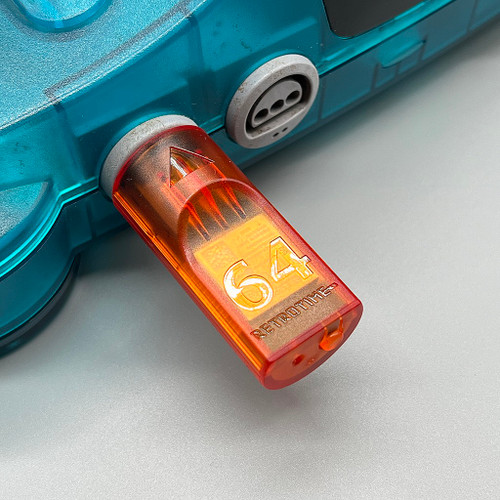
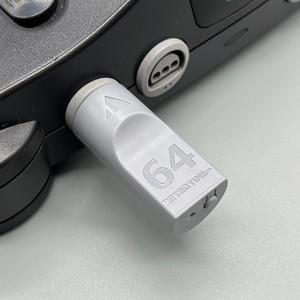
N64 BlueRetro Controller Receiver with Memory Pak (Fire Orange)
Write a Review
RetroTime
N64 BlueRetro Controller Receiver with Memory Pak (Fire Orange)
- Brand
- RetroTime
- SKU:
- RET10104
 PROUDLY MADE IN UK!
ABOUT THIS PRODUCT
Did you ever want to play your Nintendo 64 games with a wireless controller, but couldn't find a viable solution?
You don't need to wait any longer!
The N64 BlueRetro Controller Adapter is a an adapter for the Nintendo 64 that allows you to connect bluetooth controllers like the PS4, PS5, XBOX, Nintendo Switch, RetroFighters Brawler 64 BT (incompatible at the time of writing, but RetroFighters are working on adding compatibility via a firmware update) and most other BT based controllers. Even the Nintendo Switch Online Nintendo 64 Controller works!
Not only that, but it also adds 4 banks of virtual memory paks for your saves, that you can download and backup through its web interface! It can also emulate a rumble pak, if your controller supports rumble!
Features:
- Remappable buttons
- Easy to use web interface
- Over the Air firmware updates
- Plug & Play
- Rumble and memory pak support (virtual)
Pairing Process:
- Plug the adapter into your Nintendo 64 console.
- The LED will start to flash, this indicates pairing mode is active.
- Pair the controller of your choice
- After the controller is paired, it will automatically connect after a button press from now on
Button functions:
Short press (outside BT inquiry mode): Disconnect all Bluetooth devices from the adapter.
Short press (BT inquiry mode): Cancel Bluetooth pairing mode.
3 second hold: Enable Bluetooth pairing mode (new pairing).
10 sec hold: Factory resets the adapter to default configuration and clears BT pairing keys.
LED Status:
Solid: An error occurred, try shutting off your console and re-plug the adaptor.
Pulsing: Bluetooth pairing mode active (pairing).
Off: No errors, Bluetooth pairing mode disabled, controller connected.
Web Config Information:
Web Config is only available if no controller is connected. Supported only in Desktop or Android Chrome.
How to access the Web Config:
Power on system and connect via Web Bluetooth at BlueRetro Config to configure adapter. Button remapping and preset instructions can be found here.
Updating firmware via Web Config (OTA FW update):
Download the latest firmware from the BlueRetro GitHub page. Unzip the firmware file. Open a tab/window in your web browser and navigate to Blueretro Update Click “Connect BlueRetro” button. Select the “BlueRetro_n64_spiffs.bin” from the unzipped firmware folder. The “Live Output” will scroll through with the update process. On a PC, the update can take around 5 minutes. On Android, the update can take significantly longer.
Additional Information
Depending on the state of your Nintendo 64 Power Supply, it may have a hard time to power 4 adaptors simultaneously. In our tests with four adapters on one system, everything worked out fine, but be aware that it could cause problems if your power supply is not in a good state.
This adapter is made possible by the amazing Blueretro open source project by Darthcloud: GitHub
1 Review Hide Reviews Show Reviews
-
Wireless Bluetooth Receiver for Nintendo 64
It's a wireless bluetooth receiver for the Nintendo 64 based on the open source BlueRetro project. You just plug the dongle into the console and from there you can connect a wide variety of controllers and accesories to use on the N64. The build quality of the dongle is good, it feels rigid and fits snugly into the controller port. The button feels good to press and hold. I primarily bought these receivers to connect my Nintendo Switch Nintendo 64 controllers to my original N64. But first I've downloaded the latest firmware and installed it using the WebUI. I have used the new beta interface as recommended by the project author. Everything on the new interface is cleanly organized into distinct categories and pages. Connecting to the dongle using bluetooth is simple and from there it was easy to upload and install the new firmware. On this interface you can also configure various other things like button mappings and game specific presets. You can select source and target button mappings from a drop down, so you'll have the proper labels for the controller that you want to use. You can also setup things like connected accessories to the controller, like Rumble Paks and Controller Paks. The receiver offers up to 4 Controller Pak slots and these can be managed by the WebUI too. You can download, as well as upload Memory Paks as you please. After updating the firmware I was able to connect my NS N64 Controller and play my games as usual, but without a cable having to run through my room. My only minor gripe is the requirement of a chromium based webbrowser, due to the WebBluetooth requirement, but I can look past that. All in all this receiver does everything I need it to do, and with flying colors. I'd buy these dongles again.
RetroTime
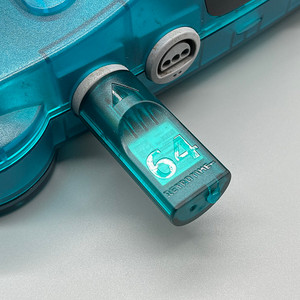
N64 BlueRetro Controller Receiver with Memory Pak (Ice Blue)
RetroTime
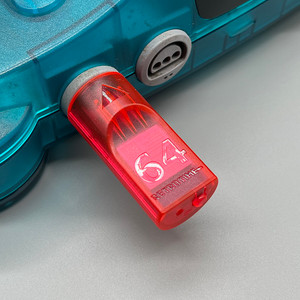
N64 BlueRetro Controller Receiver with Memory Pak (Watermelon Red)
RetroTime
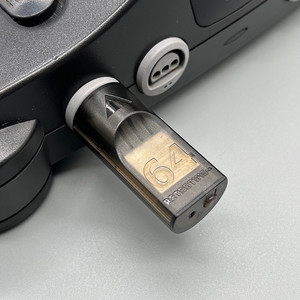
N64 BlueRetro Controller Receiver with Memory Pak (Smoke Black)
RetroTime
N64 BlueRetro Controller Receiver with Memory Pak (Original Grey)

RetroTime